
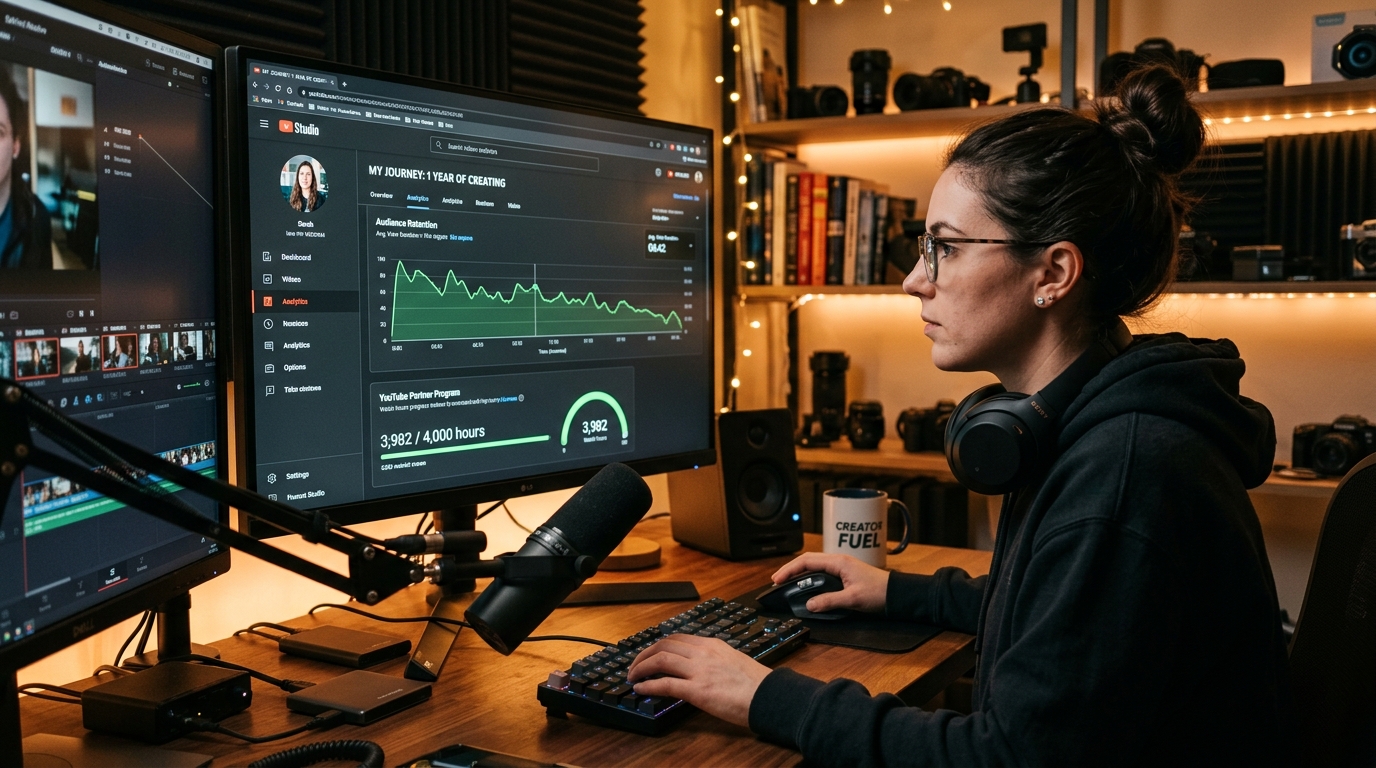
The 4,000 Watch Hours Equation: Where Does Your Time Actually Come From?
Trying to reach 4,000 YouTube watch hours? The first thing to figure out is where your watch time is actually coming from. If you're getting views but the hours are building slowly, you don't necessarily need more uploads; you may need viewers to watch more of each video or continue to another one.
This guide covers the practical ways to do that: improve average view duration, keep viewers from leaving early, choose a useful video length, connect related videos, and use Analytics to find the content worth making more of. It also explains what counts toward the watch-hour requirement so you can spend your effort on the views and viewing time that actually move you toward the goal.
The Watch Time Mathematics
4,000 Watch Hours = 240,000 Minutes = 14,400,000 Seconds of Viewer Attention
If your typical viewer leaves after 90 seconds, you need 160,000 views to hit your goal. If you improve your Average View Duration to 6 minutes, you only need 40,000 views. Improving viewer retention reduces the view volume required by 75%.
What Counts Toward the 4,000 Hours (And What Does NOT Count)
Before modifying your content production, it is vital to understand what YouTube's Partner Program auditing algorithm actually considers valid public watch hours.
To qualify for full ad revenue sharing under the YouTube Partner Program, you need 4,000 valid public watch hours within the last 12 months, alongside 1,000 subscribers. Review the complete requirements in our guide to YouTube monetization requirements.
What Counts Toward 4,000 Hours
- • Public Long-Form Videos: All watch time accrued on published horizontal videos available to the public.
- • Archived Live Stream Replays (VODs): Live stream watch hours count only after the broadcast concludes and is published as a public on-demand video.
- • Public Premieres: Both the live premiere viewing session and subsequent replay watch time count fully.
What Does NOT Count (Crucial!)
- • YouTube Shorts Feed Views: Watch time from the vertical Shorts feed does NOT count toward 4,000 hours (Shorts track toward the separate 10M views threshold).
- • Unlisted and Private Videos: Changing a video status to unlisted or private immediately removes its watch hours from your public tally.
- • Deleted Videos: Deleting a video permanently wipes all its accrued watch hours from your YPP meter.
The Rolling 365-Day Window Explained
The 4,000-hour requirement is evaluated across a rolling 365-day period, not a calendar year. Every day, watch hours earned exactly 366 days ago fall off the meter, while today's watch hours are added. Achieving steady, compounding monthly watch time prevents your meter from sliding backward.
1. Master the First 30 Seconds with a Cold Hook and Pattern Interrupts
The biggest leak in watch time happens right at the start. Across YouTube, between 25% and 40% of viewers leave before reaching the 30-second mark.
When a viewer leaves at second 15, they deprive you of the potential 8 minutes of watch time that the rest of the video could have generated. Eliminating this early drop-off is the highest-leverage improvement you can make:
Never begin with an animated logo splash screen, a generic greeting like "Hey guys, welcome back to the channel", or a sponsor pitch. Viewers decide whether to stay within 4 seconds. Any friction between their click and the promised content prompts an immediate exit.
The moment playback begins, confirm the exact promise made by your title and thumbnail. If your thumbnail highlights a specific software bug, start with: "If your render is freezing at 99%, here is the hidden cache setting causing it." Immediate topical validation validates their click.
Static talking-head shots encourage mental wandering. Use punch-in crops, subtle sound cues, motion graphics, screen recordings, or B-roll transitions to reset the viewer's visual focus throughout the opening minute.
2. Engineer Open Curiosity Loops and Structural Cliffhangers
Human psychology naturally seeks closure. In psychological terms, this is known as the Zeigarnik effect: the brain remembers incomplete tasks and unresolved questions far better than resolved ones. Successful creators use this through open curiosity loops.
An open loop introduces a compelling question, challenge, or promised outcome at the beginning of a video, but deliberately delays the ultimate resolution until later in the runtime.
The Curiosity Loop Architecture
3. Prioritize Pacing Density Over Artificial Video Padding
A common misconception among beginner creators is that making 25-minute videos is the fastest way to accumulate watch hours. The flawed logic suggests: "If a viewer watches half of a 20-minute video, that is 10 minutes of watch time, which is better than 4 minutes on an 8-minute video."
In practice, this approach frequently backfires. If your video is stretched with rambling filler, repetitive points, or awkward pauses, viewers recognize the lack of substance and abandon the video within two minutes. You end up with 2 minutes of watch time and a disastrous 10% retention rate. The YouTube recommendation algorithm interprets low retention as viewer dissatisfaction and curtails future impressions.
| Content Approach | Video Length | Retention Rate | Average View Duration | Algorithmic Fate |
|---|---|---|---|---|
| Artificially Padded | 22 minutes | 12% | 2.6 minutes | High abandonment signals fluff; impressions throttled. |
| Tight & Information Dense | 9 minutes | 58% | 5.2 minutes | High satisfaction signals value; browse distribution expands. |
Make your video exactly as long as necessary to solve the problem thoroughly, and not a single sentence longer. When every minute is packed with insight, viewers stay glued, allowing natural watch time to multiply.
4. Audit YouTube Studio Retention Graphs Like a Forensic Scientist
Your YouTube Studio analytics dashboard contains an exact visual record of viewer behavior for every upload. Navigating to Analytics → Engagement → Audience Retention reveals second-by-second data that pinpoints exactly where viewers are engaged and where they abandon your content.
Learn to diagnose the four universal patterns present on retention charts:
A sharp vertical drop at the start indicates that your opening failed to confirm the thumbnail premise, or included annoying intro animations and irrelevant chit-chat.
A sudden valley in the middle reveals where viewers skipped forward or clicked away. Look at the timestamp: was it an awkward transition, an unscripted tangent, or a monotonous section?
Spikes occur when viewers rewind to re-watch a section. This indicates high value: an intricate diagram, a quick code snippet, a comedic punchline, or a crucial setting. Note what worked and reproduce it in future videos.
If your graph drops precipitously in the last 45 seconds, you are broadcasting that the video is over. Saying "to wrap things up" triggers an immediate exit before your end screen cards can appear.
5. The End Screen Bridge and Playlist Binge Architecture
Watch time does not reset when a video ends if the viewer immediately clicks into another video on your channel. In the eyes of the YouTube recommendation engine, generating extended session watch time is the ultimate signal of authority.
The secret to high end screen click-through rates is eliminating the traditional outro entirely:
The Zero Outro Seamless Transition
Never say: "Thanks for watching, don't forget to like and subscribe, see you in the next one." The moment viewers hear those phrases, they exit. Instead, connect your conclusion directly to your next recommendation:
"Now that your microphone audio is clean, click the video on screen right now to see the exact lighting setup that makes budget cameras look cinematic."
Additionally, structure content into thematic playlists set as official series in YouTube Studio. When viewers finish one video, the next queues automatically. For maximum impact, pair this long-form bridge with companion Shorts using the frameworks detailed in our guide on how to use YouTube Shorts to grow your long-form channel.
Achieving strong watch time also unlocks mid-roll ad opportunities on videos exceeding 8 minutes. This directly elevates your channel's take-home pay, as explained in our guide to YouTube CPM vs RPM differences and our breakdown of how much YouTube pays for 1 million views.
Watch Time Mathematical Benchmarks: Views Needed to Reach 4,000 Hours
Use this calculation table to benchmark where your channel currently stands and calculate how many views you need based on your Average View Duration (AVD):
| Average View Duration (AVD) | Watch Hours Per 1,000 Views | Total Views Needed for 4,000 Hours | Weekly Views Needed (1 Year Goal) |
|---|---|---|---|
| 1.5 minutes (90 sec) | 25.0 hours | 160,000 views | 3,077 views / week |
| 3.0 minutes | 50.0 hours | 80,000 views | 1,538 views / week |
| 5.0 minutes | 83.3 hours | 48,000 views | 923 views / week |
| 7.5 minutes | 125.0 hours | 32,000 views | 615 views / week |
| 10.0 minutes | 166.7 hours | 24,000 views | 461 views / week |
You do not need to wait for YPP monetization approval to begin generating income. Small channels can monetize immediately using affiliate recommendations, as explained in our YouTube affiliate marketing guide, or by deploying early digital sales frameworks detailed in our tutorial on how to make your first $100 on YouTube.
If your subscriber growth is lagging behind your watch hours, read our realistic breakdown on whether you can get 1,000 YouTube subscribers in one day.
Frequently Asked Questions About YouTube Watch Time
Do YouTube Shorts views count toward the 4,000 watch hours requirement?
No. Watch hours accrued from views in the vertical YouTube Shorts Feed do not count toward the 4,000 public watch hours requirement. YouTube offers two separate qualification paths for YPP ad revenue: either 1,000 subscribers with 4,000 valid public long-form watch hours within 12 months, or 1,000 subscribers with 10 million valid public Shorts views within 90 days.
What happens if you do not reach 4,000 watch hours within 12 months?
Your watch time does not reset to zero. YouTube measures your watch hours across a rolling 365-day window. On any day, your counter includes watch hours generated over the previous 365 days. As time moves forward, hours earned exactly 366 days ago drop out of the tally while today's newly earned hours are added.
Can you buy watch time or use watch-for-watch groups to qualify?
Never purchase watch hours or participate in watch exchange schemes. YouTube's advanced fraud detection easily identifies bot networks, automated playback, and synthetic traffic patterns. When you apply for YPP, human reviewers audit your traffic sources. Channels caught using artificial watch time face immediate application rejection, policy strikes, or permanent channel termination.
Does re-watching your own YouTube videos count toward watch hours?
Watching your own videos on loop will not help you qualify. YouTube's view verification algorithms filter out repeated views from the account owner and IP address associated with the channel. Relying on self-viewing is ineffective and wastes time that should be spent improving content retention.
How do live streams contribute to the 4,000 watch hours?
Live stream watch time counts toward the 4,000-hour requirement, but only after the broadcast has ended and the archive is published as a public on-demand video (VOD). If you delete the live stream recording or set it to unlisted or private, all watch time accumulated during that broadcast is excluded from your YPP meter.
Track Your Monetization Journey with TubeSignals
Use our suite of free browser-based creator tools to audit channel monetization status, analyze video SEO metadata, calculate projected earnings, and download high-resolution thumbnails.