
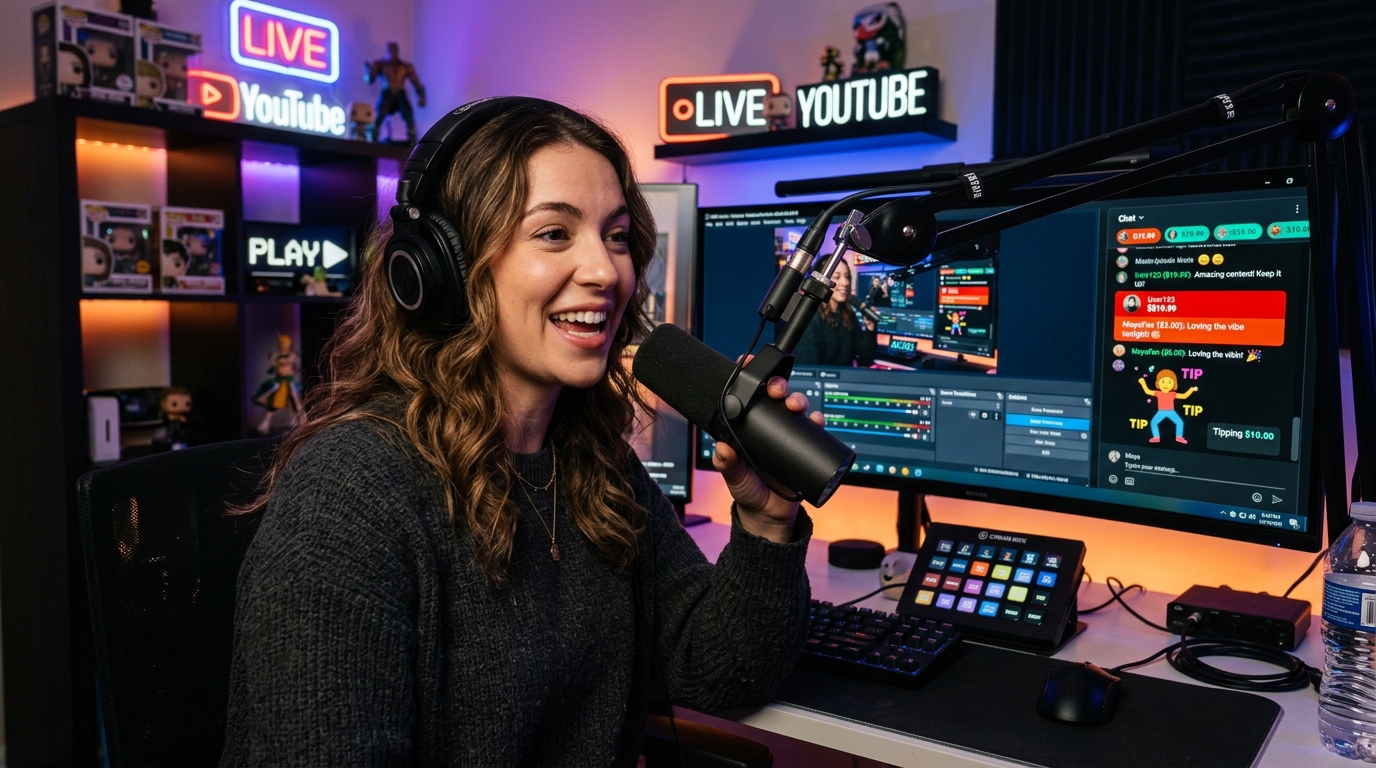
Super Chat is YouTube's paid live-chat feature. A viewer pays to make their message stand out during an eligible live stream or Premiere, giving the message more visibility and, at higher purchase amounts, longer prominence in the chat window.
For creators, the foundational reality is that Super Chat is an engagement-based revenue stream, not a payment attached to view counts. A channel can command thousands of concurrent viewers and receive almost zero in Super Chats if the audience isn't actively participating. Conversely, an intimate live audience of just 50 to 100 viewers can generate hundreds of dollars when viewers are emotionally invested and directly involved in the broadcast.
That makes Super Chat particularly effective for formats where viewers naturally have something pressing to say, ask, or submit: live Q&As, gaming streams, technical tutorials, channel audits, real-time commentary, product launches, and community town halls.
💡 Core Distinction: Super Chat vs. Other Fan-Funding Tools
- • Super Chat: Highlighted, color-coded, pinned messages in live streams and Premieres. Payout is tied to live conversation dynamics.
- • Super Stickers: Animated digital illustrations that appear in live chat for visual reaction, following identical payout mathematics as Super Chat.
- • Super Thanks: One-off viewer tips given on recorded on-demand videos and YouTube Shorts. If your primary library is pre-recorded uploads, Super Thanks is your tool, not Super Chat.
- • Channel Memberships: Monthly recurring subscriptions offering custom loyalty badges, exclusive emojis, and members-only community posts or livestreams.
If your channel focuses mainly on edited, recorded videos, Super Chat is not the engine to build around. But if you broadcast live or premiere episodic content, mastering Super Chat's payout mechanics and audience psychology unlocks a reliable, high-margin revenue pillar.
What Is YouTube Super Chat and How Does It Work?
When a viewer watches a standard live stream, their text comments rapidly scroll past the screen alongside thousands of other messages. Super Chat introduces a transactional hierarchy to this feed: viewers purchase a designated dollar tier to highlight their comment in bright, distinctive colors and pin it to the top of the chat ticker for a specific duration.
During the transaction, the viewer clicks the dollar sign icon ($) within the chat window, selects their desired spend tier, enters their custom message, and completes the purchase via Google Pay or Apple In-App Purchase. The higher the purchase amount, the longer the message remains physically pinned at the top of the live chat window, and the more characters the viewer is permitted to write.
Super Chat vs. Standard AdSense: Engagement vs. Impressions
To build a sustainable income strategy, creators must separate AdSense revenue from Fan Funding revenue. Under the standard YouTube CPM and RPM monetization model, earnings are dictated by monetized ad impressions, viewer geography, and programmatic advertiser bids. You are paid because an external brand wanted to reach your viewer.
With Super Chat, the economic dynamic completely reverses. You are not monetizing commercial advertiser interest; you are monetizing direct viewer affinity and conversational urgency. A live stream with 2,000 passive viewers watching a quiet gameplay session might yield $4.00 in mid-roll ad impressions. Meanwhile, an interactive channel review stream with 120 viewers can easily generate $250.00 in Super Chats in under 45 minutes because viewers are paying for tangible personal utility.
How Super Chat Actually Benefits a Creator
The value of Super Chat is not simply the immediate payment deposited into your AdSense account. A paid live message provides invaluable first-party intelligence about your audience: it instantly tells you which individual viewers are willing to take active financial action to get noticed, ask a question, or participate directly in your creative ecosystem.
For example, if you host a technical software tutorial stream and consistently receive $10 Super Chats every time you address live troubleshooting queries, that is undeniable audience validation. It reveals exactly which topics, stream segments, and interaction frameworks generate the deepest emotional investment from your core audience.
Notice that revenue is the final byproduct, not the starting point. If you bypass step 2 (active participation) and attempt to jump straight from audience to revenue, viewers ignore the feature.
Super Chat as an Algorithmic Engagement Catalyst
While Super Chats do not directly trigger YouTube recommendations by themselves, the intense live chat velocity they create signals high viewer engagement. YouTube's recommendation engine interprets rapid chat velocity, high concurrent viewer retention, and long average view duration as strong satisfaction signals, frequently pushing the stream into browse feeds and suggested recommendation trays for related topic searches.
How Much Can Viewers Send Through YouTube Super Chat?
The amount a viewer can spend on a single Super Chat depends on the currency and limits established by YouTube in their specific country. In the United States, purchase amounts range from a minimum of $1.00 up to a single-transaction maximum of $500.00 (with a daily purchase limit of $500 per viewer account).
The purchase amount directly dictates how prominently the comment appears in live chat: the visual banner color changes through a defined chromatic spectrum, the maximum character length expands, and the duration the message stays pinned at the top of the chat increases dramatically.
Complete YouTube Super Chat Tier, Color, and Pin Duration Matrix
| Purchase Tier (USD) | Visual Chat Color | Max Message Length | Pinned Header Duration |
|---|---|---|---|
| $1.00 – $1.99 | Dark Blue | 0 chars (No custom text) | Not pinned (Scrolls in chat) |
| $2.00 – $4.99 | Light Blue / Cyan | Up to 50 characters | Not pinned (Highlighted feed) |
| $5.00 – $9.99 | Bright Green | Up to 150 characters | 2 minutes pinned |
| $10.00 – $19.99 | Vivid Yellow | Up to 200 characters | 5 minutes pinned |
| $20.00 – $49.99 | Deep Orange | Up to 225 characters | 10 minutes pinned |
| $50.00 – $99.99 | Magenta | Up to 250 characters | 30 minutes pinned |
| $100.00 – $199.99 | Bright Red | Up to 275 characters | 1 hour pinned |
| $200.00 – $299.99 | Crimson Red | Up to 300 characters | 2 hours pinned |
| $300.00 – $399.99 | Crimson Red | Up to 325 characters | 3 hours pinned |
| $400.00 – $499.99 | Deep Ruby Red | Up to 350 characters | 4 hours pinned |
| $500.00 (Maximum) | Intense Dark Red | Up to 350 characters | 5 hours pinned |
Note: If multiple viewers send high-tier Super Chats, they queue sequentially in the pinned ticker. Viewers can click between pinned cards to read them before each card's duration expires.
Why Super Chat Earnings Come Out Lower Than Expected: The Payout Math
One of the most frequent surprises for new live creators is checking their YouTube Analytics revenue dashboard after a broadcast and finding that their deposited earnings are noticeably lower than 70% of the amounts shown on screen.
The reason is simple: the viewer-facing purchase amount is not the same thing as confirmed creator revenue. YouTube officially grants creators a 70% share of confirmed Supers revenue. However, applicable local sales taxes, VAT, and — most crucially — Apple iOS App Store in-app purchase fees are deducted before the creator's 70% split is calculated.
⚠️ The Fatal Flaw in Simple 70% Mental Math:
If a viewer sends a $10.00 Super Chat from an iPhone, Apple immediately claims up to 30% ($3.00) as an App Store payment processing fee. YouTube receives the remaining $7.00, from which applicable local taxes are settled, and only then calculates your 70% share. You do not receive $7.00; you might receive closer to $4.90.
Step-by-Step Payment Breakdown: Desktop/Web vs. Apple iOS
- Viewer Spend: $100.00
- Apple iOS Fee: $0.00 (0%)
- Estimated Sales Tax / VAT: -$0.00 (Exempt)
- Confirmed Base Amount: $100.00
- YouTube Platform Share (30%): -$30.00
- Creator Payout (70%): $70.00
- Viewer Spend: $100.00
- Apple App Store Deduction: -$30.00 (30%)
- Estimated Local Taxes: -$0.00
- Confirmed Base Amount: $70.00
- YouTube Platform Share (30%): -$21.00
- Creator Payout (70%): $49.00
This fundamental divergence explains why two different creators who both generate "$100 in live chat Super Chats" can receive completely different bank deposits. If Creator A's audience watches primarily on desktop PCs or Android devices, they will net roughly $70. If Creator B's audience is 80% mobile iPhone users purchasing through the native iOS app, their net payout will hover around $49 to $52.
When conducting long-term financial planning or setting revenue targets using our YouTube Revenue Calculator, always evaluate the confirmed Supers revenue reported inside YouTube Studio Analytics rather than tallying up visible onscreen message numbers.
Why Is Super Chat Not Showing on My YouTube Channel?
If you cannot find the Super Chat button or your viewers complain that they are unable to send paid messages, do not change stream settings at random. Follow a systematic triage sequence to pinpoint whether the problem is rooted at the channel level, the stream level, or the viewer's account level.
The 3-Step Super Chat Diagnostic Framework
Step 1: Check YouTube Studio → Earn → Supers
Log into YouTube Studio on desktop. Click Earn in the left menu, then navigate to the Supers tab. If the Supers tab is missing entirely or shows "Not Available," your channel is experiencing a channel-level eligibility issue:
- Your channel may not yet meet the early Fan Funding YPP milestone (500 subscribers + 3 public uploads in last 90 days + 3,000 watch hours or 3M Shorts views).
- Your channel's primary country may not be in YouTube's supported Supers geography list.
- You may not have formally signed and accepted the Commerce Product Module (CPM) contract inside Studio.
Step 2: Inspect Livestream Privacy & Content Restrictions
If Supers is fully enabled in YouTube Studio but the dollar icon is missing on your active live broadcast, the bottleneck is in your livestream configuration settings:
- Live Chat Disabled: Super Chat requires public live chat to function. If live chat is toggled off, Supers cannot render.
- Made for Kids: In strict compliance with COPPA regulations, Super Chat is permanently disabled on any stream designated as "Made for Kids."
- Unlisted or Private Streams: Fan funding features do not appear on private or unlisted broadcasts. The stream must be set to Public.
- Age Restrictions: Age-gated livestreams (18+) frequently disable commerce modules automatically.
Step 3: Evaluate Viewer Geographic & Payment Restrictions
If the feature works for 95% of your viewers but one individual viewer reports they cannot send a Super Chat, the limitation exists on the viewer's device or account:
- The viewer is residing in an unsupported country where Google Pay or Apple In-App Purchases for YouTube are restricted.
- The viewer is using a brand account or supervised Google family account that restricts commercial transactions.
- The viewer's iOS YouTube application or browser ad-blocker is intercepting chat overlay scripts.
How Do You Get More Super Chats During a YouTube Live?
If people are actively typing in chat but nobody is sending Super Chats, simply repeating “Super Chats are enabled, please donate” will almost never move the needle. Viewers do not spend money on YouTube because they were reminded the dollar icon exists; they spend money when the stream provides a compelling, immediate reason to interact.
The secret to consistent fan-funding revenue is giving the paid message a functional, tangible place in the broadcast. Rather than treating Super Chat as a passive donation bucket, integrate it as an interactive access mechanism.
5 High-Converting Live Stream Formats that Naturally Generate Super Chats
1. Live Channel & Portfolio Audits
Set a clear premise: “For the next 45 minutes, I am reviewing viewer channels live on screen. Send your channel handle in a Super Chat with the one metric you want me to diagnose.” Viewers happily pay $5 to $20 for expert personalized feedback that would normally cost hundreds of dollars in consulting.
2. Priority Q&A Sessions
During rapid chat scrolls, explain: “I read normal comments as fast as I can, but all Super Chat questions are guaranteed a complete, comprehensive answer before we sign off.” Viewers with urgent questions naturally purchase a tier to bypass the noise.
3. Real-Time Problem Solving & Tutorials
If you teach coding, video editing, or audio mixing, use Super Chats to let viewers decide which specific technical hurdle you solve next on your screen share. Viewers gain direct agency over the curriculum.
4. Interactive Gaming Challenges
Let viewers influence live gameplay: “A $5 Super Chat decides which weapon loadout I must use for this round; a $10 Super Chat forces me to play without healing items.” The audience is directly altering the outcome of your broadcast.
The Golden Rule: Fulfill the Paid Interaction with Real Substance
What happens immediately after a Super Chat arrives determines whether other viewers will follow suit. If someone sends a thoughtful $10 question and you merely say: “Hey John, thanks for the ten dollars, appreciate the support!” and instantly return to your monologue without answering, you have just demonstrated to the entire room that sending money delivers zero conversational value.
Instead, pause your train of thought, pull up their question, read it aloud with genuine enthusiasm, and provide a comprehensive 60-to-90 second breakdown. When hundreds of other lurkers see that sending a Super Chat reliably commands your undivided attention and delivers real answers, they will be inspired to submit their own.
How to Increase Super Chat Revenue Without Simply Asking for More Donations
Creators who earn substantial fan funding rarely sound like digital panhandlers. They never utter phrases like “guys, don't forget to hit the tip jar” every five minutes. Repeated donation appeals actively irritate viewers and degrade stream retention.
Instead, structure your broadcast around predictable, scheduled moments of high interaction. When you establish predictable programming blocks, viewers know exactly when and how to engage:
-
A.
The Early Roadmap Announcement (Minute 3): Outline the schedule immediately: “For the first 25 minutes, I am demonstrating the new SEO framework. From minute 25 to 55, I will be taking Super Chat channel teardowns live on screen. At the end, we do open community Q&A.” Viewers are primed for when to participate.
-
B.
The Segment Transition Reminder (Minute 23): Give a brief 2-minute warning: “We're wrapping up the demo now. In two minutes, we open our live channel review queue. Drop your channel handles in a Super Chat now so we can queue you in order.” This generates an immediate rush of focused submissions.
-
C.
Setting Realistic Queue Limits: Never promise more than you can deliver. If you receive 20 paid messages, communicate transparently: “We have 8 paid reviews in the queue right now; I have time for 2 more before we hit our time limit.” Scarcity and urgency dramatically boost conversion.
Start asking: “What unique value or direct interaction can I offer that makes someone watching this specific stream feel excited to have their voice heard?”
How to Track Super Chat Earnings and What to Measure
To evaluate whether Super Chat is genuinely working for your channel, do not judge your performance based on gut feeling or chat excitement. Measure empirical data inside YouTube Studio → Analytics → Revenue → Fan Funding (Supers).
The essential number to record is your confirmed Supers revenue, rather than the raw tally of messages displayed during the stream. When comparing broadcasts, consistently track these five core metrics:
Comparing Live Stream Formats: Audience Size vs. Paid Participation
| Live Stream Format | Average CCV | Paying Supporters | Conversion % | Typical Super Chat Revenue |
|---|---|---|---|---|
| Casual Gaming Stream | 350 CCV | 3 supporters | 0.8% | $18 – $35 |
| General Open Chat / Hangout | 220 CCV | 4 supporters | 1.8% | $25 – $50 |
| Live Channel / Portfolio Audits | 110 CCV | 14 supporters | 12.7% | $180 – $340 |
| Technical Q&A / Troubleshooting | 95 CCV | 9 supporters | 9.5% | $120 – $210 |
The data demonstrates a clear pattern: audience size does not equal monetization power. A stream with 100 viewers that solves specific community problems will routinely outperform a generic 350-viewer stream by over 500% in confirmed fan-funding revenue. Use your own analytics data across consecutive streams to eliminate underperforming formats and double down on high-participation events.
Frequently Asked Questions About YouTube Super Chat
Here are definitive answers to the most common questions creators have regarding YouTube Super Chat, payout calculations, and stream monetization rules.
Q1: How much do creators get from YouTube Super Chat?
Creators officially receive 70% of confirmed Supers revenue. However, applicable local sales taxes, VAT, and Apple iOS App Store in-app purchase fees (up to 30%) are deducted from the viewer's transaction before YouTube calculates the creator's 70% share. Because of this, the actual dollar amount deposited to the creator is often lower than 70% of the visible onscreen message amount.
Q2: Does YouTube pay $3 per 1,000 views on livestreams?
No. Super Chat is completely separate from video view counts, so there is no fixed rate per 1,000 views. Super Chat revenue is generated exclusively when individual viewers voluntarily choose to purchase paid messages during eligible livestreams or Premieres. Any views that do not actively buy a Super Chat generate $0 in fan-funding earnings.
Q3: What is a $20 Super Chat on YouTube?
A $20 Super Chat means a viewer paid $20 to highlight their comment in deep orange and pin their message to the top of the chat ticker for 10 consecutive minutes with up to 225 characters of custom text. The creator's eventual net payout on that $20 message ranges between $9.80 (if purchased via Apple iOS app with standard deductions) and $14.00 (if purchased via desktop browser with zero Apple fees).
Q4: How to make money on YouTube Super Chat?
First, enable Super Chat inside YouTube Studio (requires meeting the 500 subscribers / 3,000 watch hours fan-funding threshold and signing the Commerce Product Module). Second, schedule livestreams designed around active viewer participation—such as live channel reviews, priority Q&As, gaming challenges, or troubleshooting sessions. Finally, deliver genuine, detailed answers to every paid message live on screen to encourage other viewers to participate.
Q5: Can a viewer refund or chargeback a Super Chat?
According to YouTube's official policy, Super Chat purchases are non-refundable voluntary donations. However, if a viewer initiates an unauthorized transaction dispute through their bank or Apple App Store, YouTube may reverse the transaction. In such rare instances, the deduction will appear in your Studio revenue adjustments.
Q6: When does YouTube deposit Super Chat earnings into my bank?
Super Chat revenue follows the standard AdSense payout schedule. Confirmed monthly earnings are finalized between the 7th and 12th of the following month and deposited to your linked bank account between the 21st and 26th of the month, provided your total balance surpasses the $100 AdSense payment threshold.